
Request
New request on one page
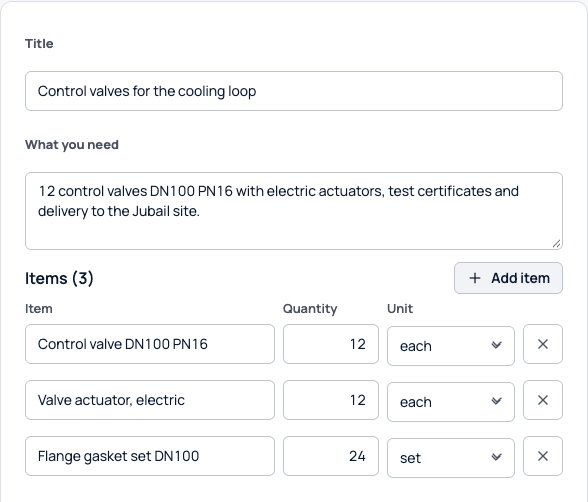
Write the title, what you need and each item with its quantity and unit, pick the approval route and submit. You can also start from one of your templates.
Actual Sorvation interface. Illustrative demonstration data.
Strategic Sourcing
Build the request, invite suppliers, compare price, technical review and weighted scores side by side, and route the award to your named approvers.
Each step adds to the same event record.
Request
Write the title, what you need and each item with its quantity and unit, pick the approval route and submit. You can also start from one of your templates.
Actual Sorvation interface. Illustrative demonstration data.
Offers
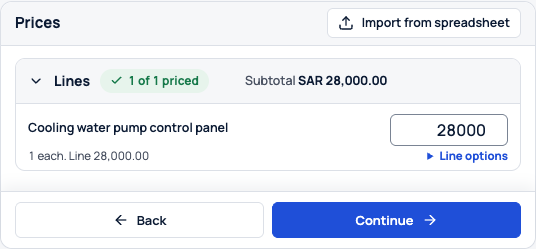
Suppliers send quotes, alternatives and revisions from their own workspace. Each revision gets a receipt, and the earlier ones stay on file.
Actual Sorvation interface. Illustrative demonstration data.
Compare
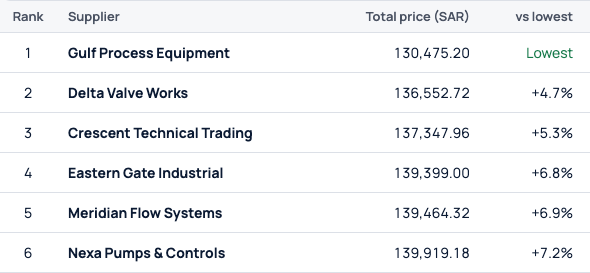
See every offer as a card or as one row per supplier, ranked by total price, with the lowest marked. You can also award by item.
Actual Sorvation interface. Illustrative demonstration data.
Award
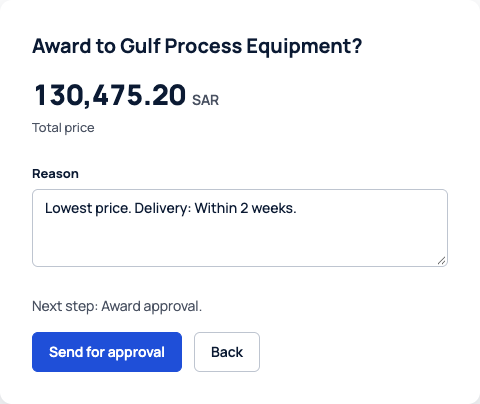
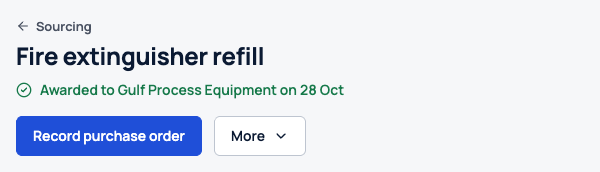
Press Award on an offer, confirm the reason and send it to the next approver on your published route. At the moment of award, Sorvation checks the offers, approvals and supplier qualification again.
Actual Sorvation interface. Illustrative demonstration data.
Start with an RFI to learn what the market offers, then turn it into a priced RFQ or RFP.
Suppliers can quote alternatives, partial lines, quantity breaks and bundles, and you compare them all on one basis.
Send one supplier a private target price per line. They can accept it, decline with a reason or revise their quote.
Add a reverse auction round to an RFQ when price decides. It is part of the subscription, and each supplier sees its own rank as bids come in.
People from the requesting department accept or reject each offer against the specification.
Score offers against your own criteria and weights. Each score shows who gave it and why.
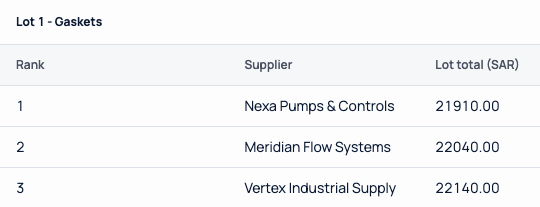
Actual Sorvation interface. Illustrative demonstration data.
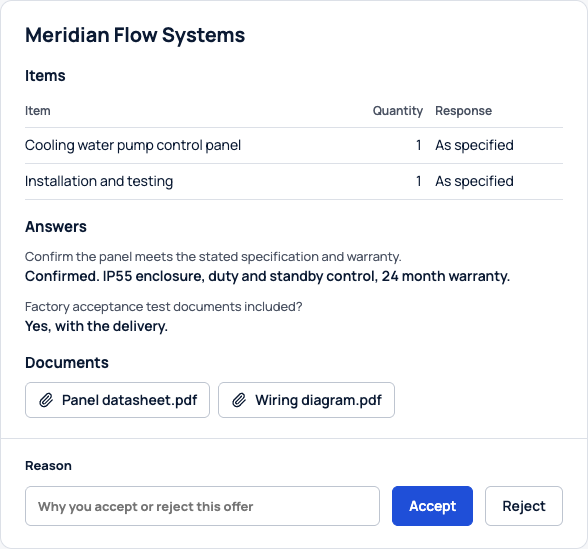
Actual Sorvation interface. Illustrative demonstration data.
Sbot turns a saved purchase request into a draft RFQ, with a title, the scope, supplier questions and a specification for each item. It also suggests which of your approved, qualified suppliers to invite, with a short reason for each.
It works within each user’s permissions.
Set up steps with named approvers, a quorum and independence rules. Editing a route creates a new version, and events already under way keep the one they started with.
Each approval or rejection carries a written reason. Reversing an award needs a reason too, and the original award stays in the history.
Export the event with its offers, reviews, scenarios and award. Reports download as PDF, XLSX or CSV.
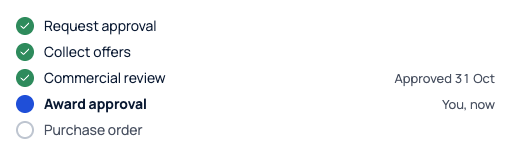
Actual Sorvation interface. Illustrative demonstration data.
Keep supplier records, qualification reviews and documents in one place. Awards go to active, qualified suppliers, checked again at the moment of award.
Suppliers sign in with a verified email and multi-factor authentication. They work on their own invitations and quotes.
Suppliers can publish a company profile that buyers on Sorvation can search, once we have reviewed it. Add a supplier you find there to your list and qualify it with your own checks.
How suppliers register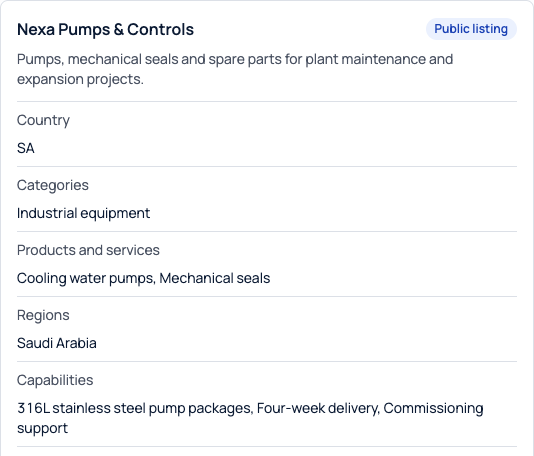
Actual Sorvation interface. Illustrative demonstration data.
Actual Sorvation interface. Illustrative demonstration data.
Purchase requests come in from your ERP, and approved awards go to it for the purchase order.
The purchase request, supplier references and purchase or receipt records come in with their source and version.
An approved field mapping is used. You preview the effect and check the records before the import is applied.
We prepare a versioned award file and keep the outcome your ERP reports back, including the purchase order number.
We agree the connection method, field mappings and scope with your team at onboarding.
Bring your supplier rebate agreements into the comparison, using the terms you approved.
See the Rebate EngineApply your local content policy line by line during the evaluation.
See the Local Content EnginePurchase requests come in from your ERP. Your team runs the RFQ, comparison and approvals in Sorvation, and the approved award goes to your ERP for the purchase order. The PO number your ERP reports is recorded on the event.
You invite them to the event. They reply, ask questions and revise quotes in their own Sorvation Supplier workspace.
Yes. Add them one at a time or import a file, then qualify them under your own requirements.
Add an auction round when the specification is settled and price decides. Sealed bids are the starting point, and your administrator switches auctions on or off for the company.
Through your published approval route: named approvers, a quorum where you set one, and a written reason at each step.
At onboarding we agree the method and field mapping with your team. Purchase requests come in for review before they are applied, and approved awards go back as versioned award files.
You will see rebates counted before the award, local content applied to each line and the award passing through approvals.