
Mechanisms
Price preference, local content weight, minimum thresholds, a mandatory product list and SME preference. You switch on and configure each one separately.
Local Content Engine Add-on
Set price preference, weights, minimum thresholds and your mandatory product list once. Every offer shows its evaluated price, score and flagged lines.
Your team builds the policy and enters rates and lists from its own sources, each with its reference.
Price preference, local content weight, minimum thresholds, a mandatory product list and SME preference. You switch on and configure each one separately.
When the rules change, publish a new version. Events keep the version that was in force when they opened.
Import your mandatory product list from our Excel or CSV template and check the preview before you confirm.
Attach a policy to an RFQ or RFP. It is frozen once the event opens.
Suppliers enter their local content certificate details, mark national products line by line and confirm everything before they submit. Your team verifies each certificate and records the reason.
For every offer you see the evaluated price, the score and which offer your policy prefers. Items that do not qualify are flagged or excluded, depending on how you set the policy.
You can award a different offer from the preferred one if you record a justification, and you can report the local content share of your awarded spend.
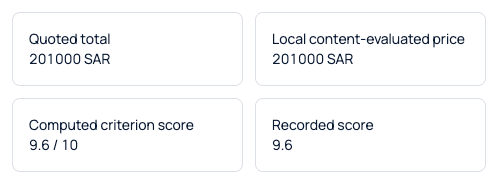
Actual Sorvation interface. Illustrative demonstration data.
Local content is a company setting. Turn it on and the policy screens, supplier fields and evaluation steps appear for your team and your suppliers.
No. The engine applies the rules your company sets up. Compliance decisions and filings remain your responsibility.
From your company. Your team enters them from its own sources.
Suppliers enter their certificate details, and a reviewer on your team verifies each one and records the reason.
Yes. Turn it on for the company, then attach a policy only to the events that need one.
Yes, as long as the justification is recorded.
We set up sample preference rules and walk through the evaluation line by line with you.